Fresh out of the oven
Spot a bug? These tools are new, so the odd thing may still wobble. If something looks wrong, it probably is. Tell us and we will sort it..
Fresh out of the oven
Spot a bug? These tools are new, so the odd thing may still wobble. If something looks wrong, it probably is. Tell us and we will sort it..
Fresh out of the oven
Spot a bug? These tools are new, so the odd thing may still wobble. If something looks wrong, it probably is. Tell us and we will sort it..
Pinnora's background remover cuts a subject out to a transparent PNG in one click. The model is told to keep the subject pixel for pixel and drop every background pixel to alpha, and the cutout saves as a new version with the original kept as its parent. Clean a missed patch by hand, then export at 1x, 2x or 4x.
The tool is open above. This is the short version of what to do with it.
Drop the shot on the panel, click Choose file, or use Open from project. Images only, and sign-in happens at the upload since the cutout is written back.
In the right panel open AI tools and click Remove background. The checkerboard behind the canvas shows exactly which pixels went to alpha.
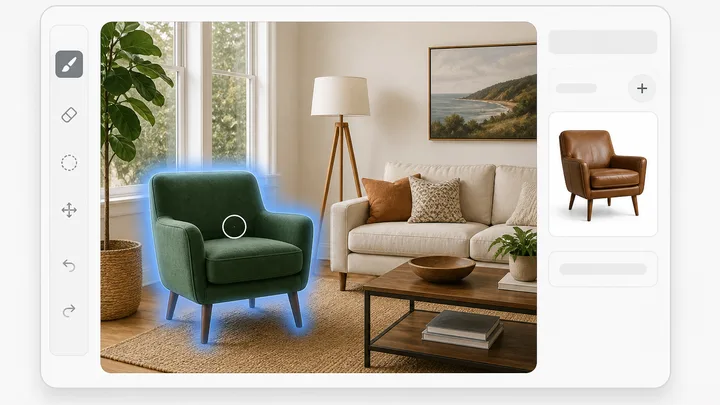
Zoom in on hair, straps and glass. Magic wand or Lasso the leftover background and hit Delete; Clone stamp patches a spot the model softened.
Save writes the cutout back as a new version, unbilled. Download builds PNG, JPEG or WebP at 1x, 2x or 4x, and PNG is the one that keeps the alpha.
Short answers to what people ask before they start.
Yes. Click Open from project and it lists your last 30 images, static ads, carousels, stories, banners and thumbnails included. Those open straight into the editor with no re-upload. A file from your own machine works too: drop it on the panel or click Choose file. Either way you sign in first, because the upload has to land in a project before there is anything to cut out.
Those are the cases where cutouts usually fall apart. The request goes to gpt-image-2 with instructions to keep the subject pixel for pixel, edges, hair, fine detail, color and lighting unchanged, and to turn every background pixel transparent. There is no matte solver underneath, so a hair edge is the model's judgment. Zoom in and check it before the cutout goes into paid media. The checkerboard makes leftover background easy to spot.
The cutout comes back as a PNG and keeps its alpha channel. The Download popover offers PNG, JPEG and WebP at 1x, 2x or 4x, with a quality slider for the two lossy ones. PNG is the only one that holds transparency. JPEG and WebP get a white matte painted under the composite at export, so a cutout saved as either lands on white instead of black.
No. Each removal writes a new artifact with the original as its parent, and the editor walks you onto that new version. The original stays in the project and you can reopen it from Open from project. Undo and redo cover manual work only: crop, clone stamp, text and shapes. The AI actions sit outside that history because each already lands as its own version.
Each run is billed against your workspace credit balance like any other AI edit, and one click produces one image. If credits are exhausted for the cycle, the cap gate stops the request before the model is called and hands back the cap message rather than failing quietly. Manual canvas work and Save are not billed. Download is built in your browser, so re-exporting at another size costs nothing.
Yes, and that is the usual next step. Stay on the canvas and use Expand / outpaint to grow the frame to a new aspect ratio, or Generative Fill to paint a backdrop into a region you brush over. Both run on the cutout you just made. Text and Shape layers stack on top, and Remove background ignores them, so cut first and add copy after.
The rest of the family. Every one is free to try and runs on the same engine.