Fresh out of the oven
Spot a bug? These tools are new, so the odd thing may still wobble. If something looks wrong, it probably is. Tell us and we will sort it..
Fresh out of the oven
Spot a bug? These tools are new, so the odd thing may still wobble. If something looks wrong, it probably is. Tell us and we will sort it..
Fresh out of the oven
Spot a bug? These tools are new, so the odd thing may still wobble. If something looks wrong, it probably is. Tell us and we will sort it..
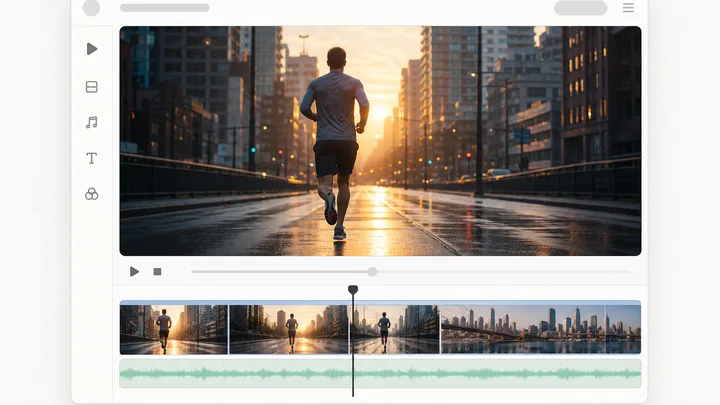
Pinnora's AI UGC video generator renders one creator-style talking-head clip per run. The person on camera comes from your reference pack rather than a shoot, so a whole campaign reads as the same face in the same room. The render is told to refuse studio lighting and cinematic grading, which is what makes it look filmed rather than produced.
The tool is open above. This is the short version of what to do with it.
Visual style runs 16 looks with UGC raw phone-cam at one end. The References block shows the Person, Product and Backdrop your pack has pinned.
Name who is on camera and the single beat that lands, or use Fill for me to draft a direction from your project context.
Duration starts at 4 seconds. Choose a length supported by the selected model and allow enough time for the spoken lines.
Clip intent runs Auto through Social proof, Tone offers ten registers, and captions sit beside them. The run appears in the results column.
Short answers to what people ask before they start.
No. The person on camera comes from your Reference Pack, whose Person slot sits in the References block at the top of the settings column alongside Product and Backdrop. Whatever is pinned there becomes the image-to-video seed the clip is rendered from, so nothing gets filmed. Uploads join the project corpus, which means the same face is available to every later clip without re-uploading it.
Duration starts at 4 seconds and the selected model sets the maximum. Choose the available aspect ratio and resolution in the form. Generate makes one clip per run; review its continuity and delivery before publishing.
Write a script direction naming who is on camera and the main point, or use Fill for me to draft it from your project context before generating. Choose a tone that fits your brand. Include only claims you can support with evidence.
If the project has a Reference Pack, its Person, Product and Backdrop appear in the References block and are attached to the render automatically. That is what keeps a run of clips reading as the same person in the same room instead of drifting between takes. With no pack pinned the block tells you so and links to where you set one up.
Partly by instruction and partly by your choice of Visual style. The render prompt refuses studio lighting, softboxes and ring lights, color-graded cinematic LUT looks, shallow depth-of-field beauty-shot bokeh, voiceover-narrator delivery and stock-footage B-roll inserts. How rough it goes is up to the Visual style control, which spans 16 looks with UGC raw phone-cam at one end and Cinematic photoreal at the other.
Render time varies by model, duration and provider queue. The run appears in the results column with its current phase and estimate, then becomes a playable video when complete. History retains earlier project runs, including failed cards with their reason.
The rest of the family. Every one is free to try and runs on the same engine.